How do I cancel my subscription ?
Updated 3/4/2026
1. G Maps Extractor Extension Subscription Management
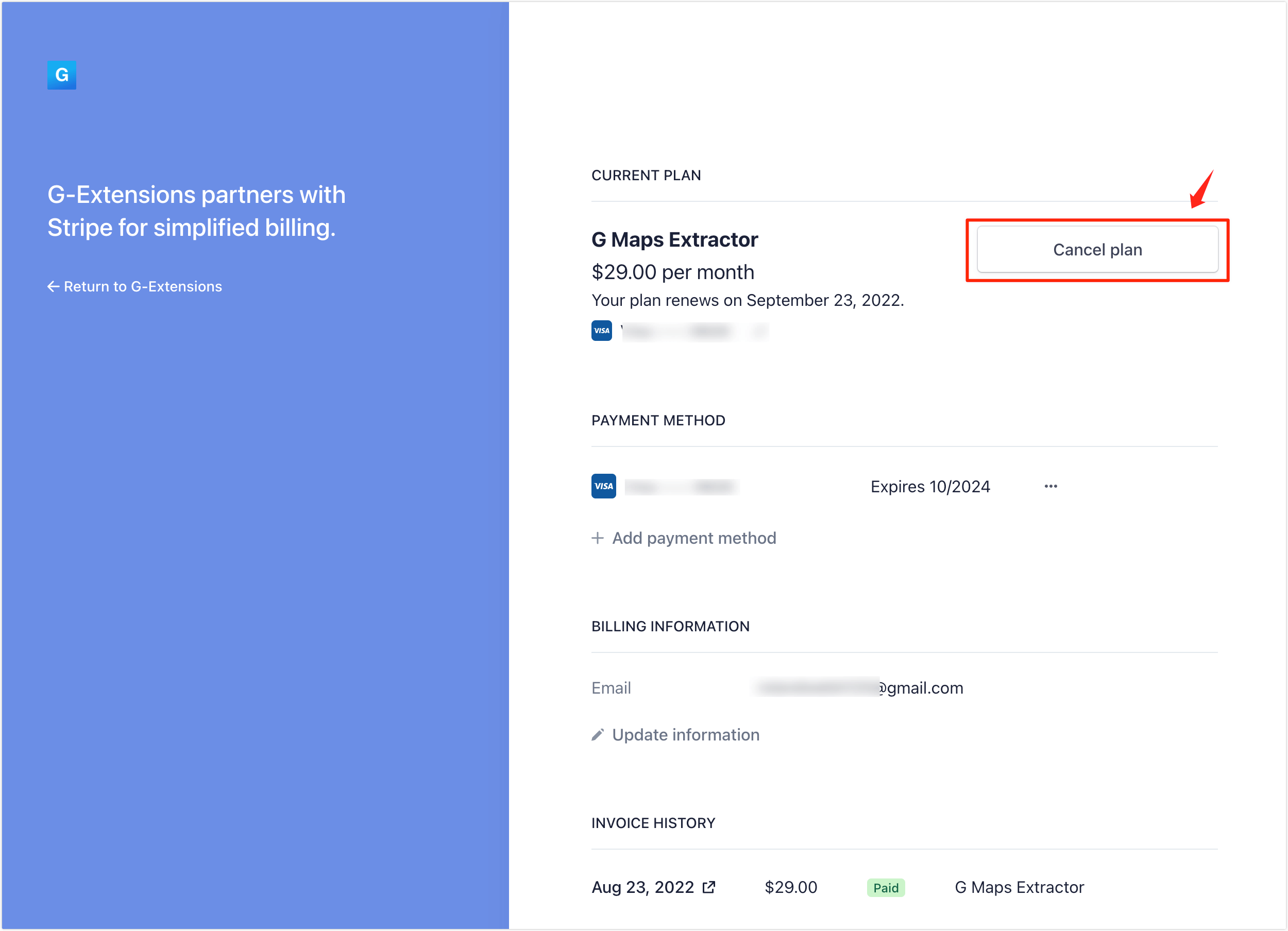
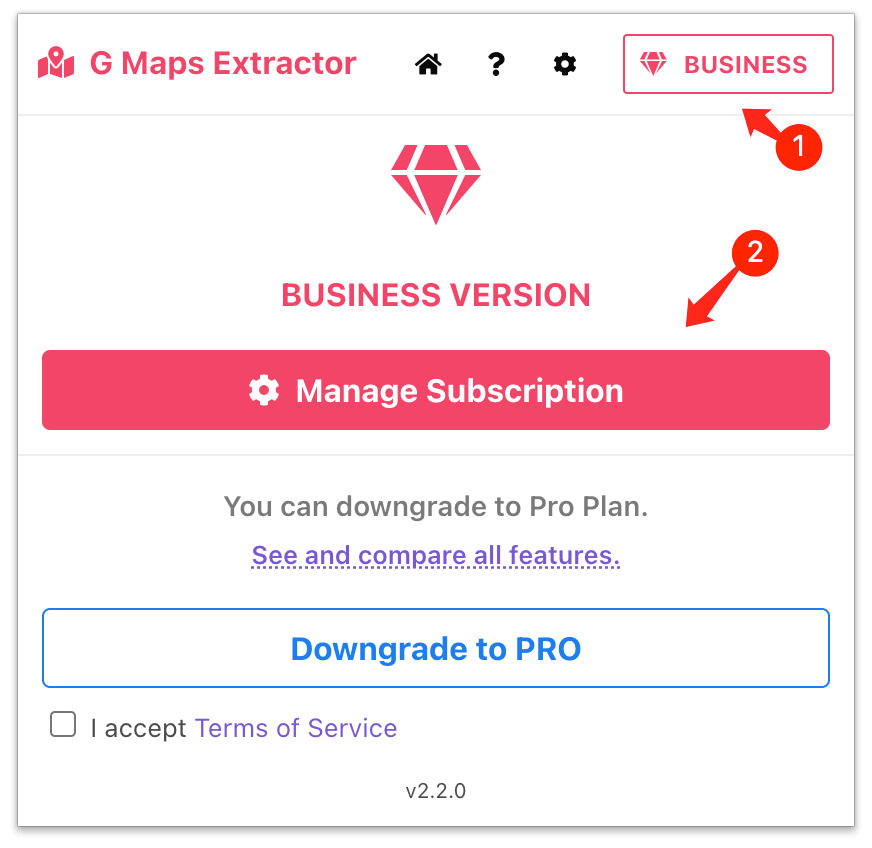
You can manage your plan and cancel your plan's renewal at any time in the "Pro / Business" panel of your account. Once you have canceled, you'll still have access to your paid plan until the end of your monthly or yearly period.
2. Online Scraper Subscription Management
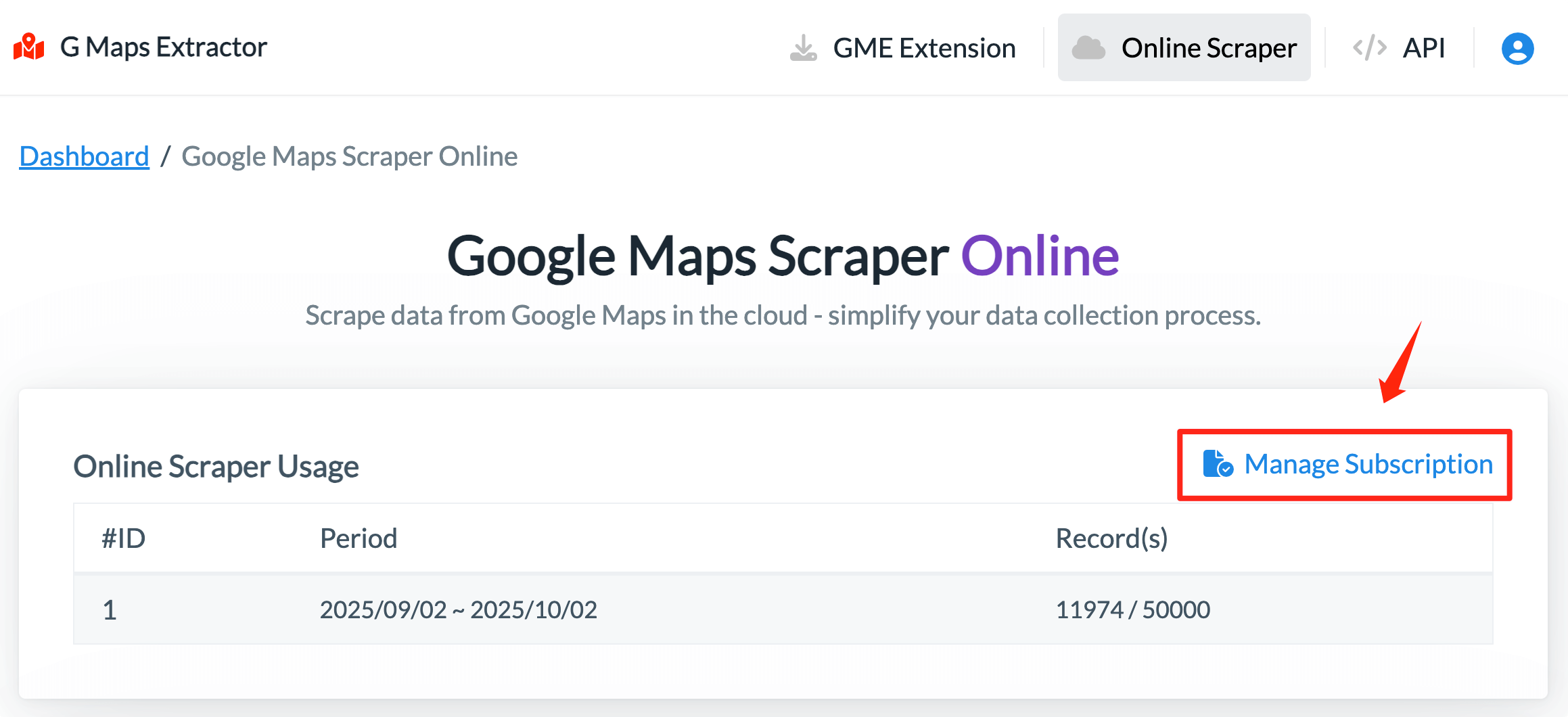
If you have subscribed to the Online Scraper, you can manage your subscription by clicking the "Manage Subscription" button.
3. API Subscription Management
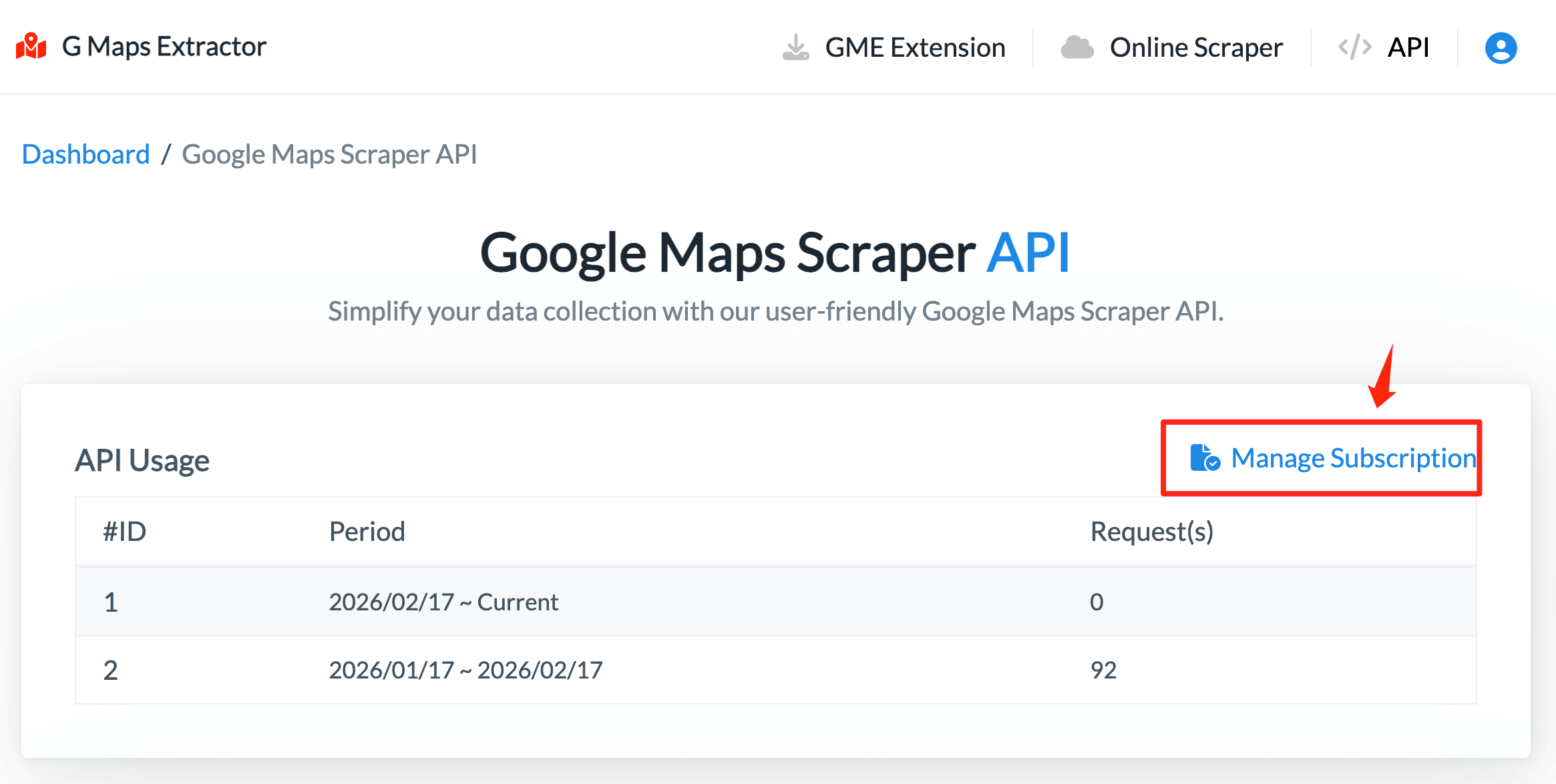
If you have subscribed to the API, you can manage your subscription by clicking the "Manage Subscription" button.