How to scrape Google Maps data online ?
Updated 7/19/2026
In digital marketing and business development, accessing accurate local business data is crucial. A Google Maps scraper serves as a powerful data extraction tool that helps businesses quickly collect commercial information from target markets. This guide will walk you through how to scrape Google Maps data online effectively.
What is a Google Maps Scraper?
A Google Maps scraper is an automated tool designed to extract business information in bulk from Google Maps, including business names, addresses, phone numbers, ratings, operating hours, emails, social media profiles and more. Compared to manual copy-pasting, using a professional Google Maps data extraction tool can save hundreds of hours of work.Why Scrape Business Data from Google Maps?
Common scenarios where businesses use a Google Maps scraper include:- Market Research: Analyze competitor distribution and market saturation
- Lead Generation: Obtain potential customer contact information
- Local SEO Analysis: Study commercial landscapes in specific regions
- Database Building: Create industry-specific business directories
Step-by-Step Guide to Using Google Maps Scraper Online
Navigate to Google Maps Scraper Online, then enter your keywords, for example "restaurants in New York" or "hotels in Los Angeles", select your target location, and click the submit button to start extracting data.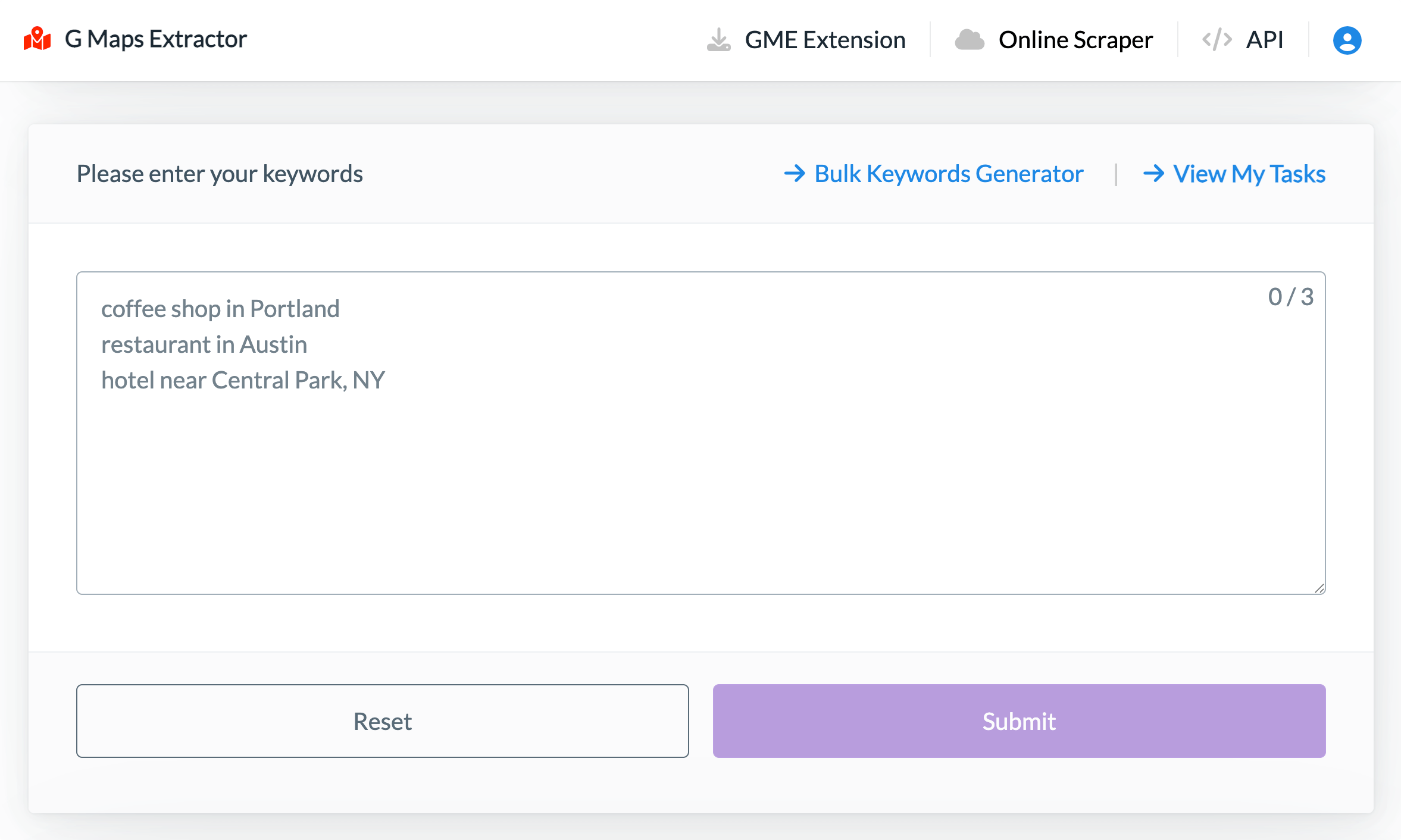
- Search for relevant businesses in the specified area on cloud
- Extract detailed information from Google Maps
- Organize data into structured format
- Export to your preferred file format (CSV, Excel, JSON)
Best Practices for Google Maps Data Scraping
To maximize your Google Maps Scraper Online effectiveness:- Use precise long-tail keyword combinations
- Use bulk keywords generator tool to generate multiple search queries
- Cross-verify with other data sources (Google Search, Google My Business, etc.)
- Establish data cleaning and deduplication workflows